MCP for Business Intelligence: What Changes When Your BI Tool Speaks MCP
MCP (Model Context Protocol) is the open standard that lets AI assistants use your software, including your BI tool. When your BI tool speaks MCP, the assistant you already talk to can query your live data directly. You ask about revenue in Claude. The real number comes back. One year in, every major BI vendor ships an MCP server, and the newest ones don't just answer questions about existing dashboards. They build the charts too.
Quick Summary (TL;DR)
MCP was open-sourced in November 2024 and donated to the Linux Foundation's Agentic AI Foundation in December 2025. There are now 10,000+ public MCP servers.
For BI, it means asking your revenue question in the assistant instead of opening the BI tool.
Two kinds of BI MCP servers exist: wrappers that query dashboards you already built, and agent servers that create datasets, charts, and dashboards on demand.
The security consensus is real: read-only by default, and even Microsoft tells you to do a security review before connecting.
MCP, for someone who just wants the number
You don't need the protocol diagrams. Here's the history in three sentences. Anthropic open-sourced MCP in November 2024 as a standard way for AI assistants to use outside tools. In December 2025, Anthropic donated it to the Agentic AI Foundation under the Linux Foundation, co-founded with Block and OpenAI and backed by Google, Microsoft, and AWS. By then there were more than 10,000 active public MCP servers, adoption across ChatGPT, Cursor, Gemini, and Microsoft Copilot, and 97 million monthly SDK downloads.
The plain version: before MCP, every AI-to-tool connection was a custom integration someone had to build and maintain. Now it's a standard plug. Your database, your CRM, and your BI tool each expose one server. Any assistant that speaks the protocol can use all of them.
That last part is what matters for how you get numbers.
What actually changes when your BI tool speaks MCP
Three moments, concretely.
You ask the revenue question where you already are. You're in Claude drafting an investor update and need Q2 revenue by month. The old path: open the BI tool, find the dashboard, filter, copy numbers back over. The MCP path: ask in the same chat. The assistant calls your BI tool's server, runs the query against live data, and drops the numbers into the draft. We walked through the full setup in how to use Claude for analytics.
The assistant builds the chart you describe.
"Signups by channel, last 90 days, weekly." With an agent-grade server that isn't a search for an existing chart. The assistant picks the source, writes the query, and creates the visualization. You described it. Now it exists.
Scheduled answers arrive where you work. Set it once: pipeline by stage, Mondays at 8am, in Slack. The agent runs the query and delivers the result. You never open the BI tool at all.
Notice the pattern. In all three, the BI tool still does the work. You just stopped being the one who visits it.
The two kinds of BI MCP servers
Every major BI vendor now ships one. Tableau, Power BI, Metabase, Grafana, Snowflake Cortex, Looker through Google's MCP Toolbox, ThoughtSpot, plus Google Analytics and Mixpanel on the product analytics side. That sentence would have been false a year ago.
But "has an MCP server" hides a real split.
Wrapper servers expose what already exists. Tableau's server lets an assistant query published data sources and pull from dashboards someone already built. Metabase's embedded server answers against your existing models. Grafana's reads your dashboards and alerts, with a flag to disable writes. These are genuinely useful, and read-oriented by design. The catch: someone still has to build the dashboards and model the data first. The assistant is a new front door on the old house.
Agent servers can do the BI work itself. Given a question, they find the right data, write and run the query, and create the dataset, chart, or dashboard that didn't exist a minute ago. AgenticBI's server works this way: agents locate data, join across systems, run queries, and build dashboards and reports from the chat. Knowi, its enterprise parent, takes the same agent-first approach. ThoughtSpot brands its own server "agentic" as well, though in practice it still answers against a governed model your team builds first, which puts it closer to the wrapper camp. We compared both camps in the best analytics MCP servers.
The honest read: most of the market ships wrappers today. If you have a BI team keeping dashboards current, a wrapper is genuinely useful. It gives you a faster way to reach the analytics they already built. If you don't have that team, a wrapper has almost nothing to read, so it delivers far less than the vendor demos suggest. The demos always show a polished dashboard the assistant just narrates. The question they skip is who built that dashboard.
If you don't have a data person, this is the interesting part
Here's the quiet consequence of the agent-server model: the BI tool becomes invisible.
You never learn its interface. You never build a dashboard in it. You talk to the assistant, and agents behind it connect sources, write queries, and assemble the charts. The BI layer is still there, handling joins, permissions, and schedules. You just never look at it directly.
That flips who BI is for. For a decade the trade was: powerful analytics, if someone on your team learns the tool. MCP plus an agent server deletes the "learns the tool" clause. Whether that counts as a chat skin on dashboards or something structurally different is the whole subject of agentic BI vs conversational BI.
Try this on your own numbers.
AgenticBI is an MCP-native BI platform: paste one URL into Claude and ask your first revenue question. Agents write the queries, build the charts, and show their work. Free to start.
What we've learned running one every day
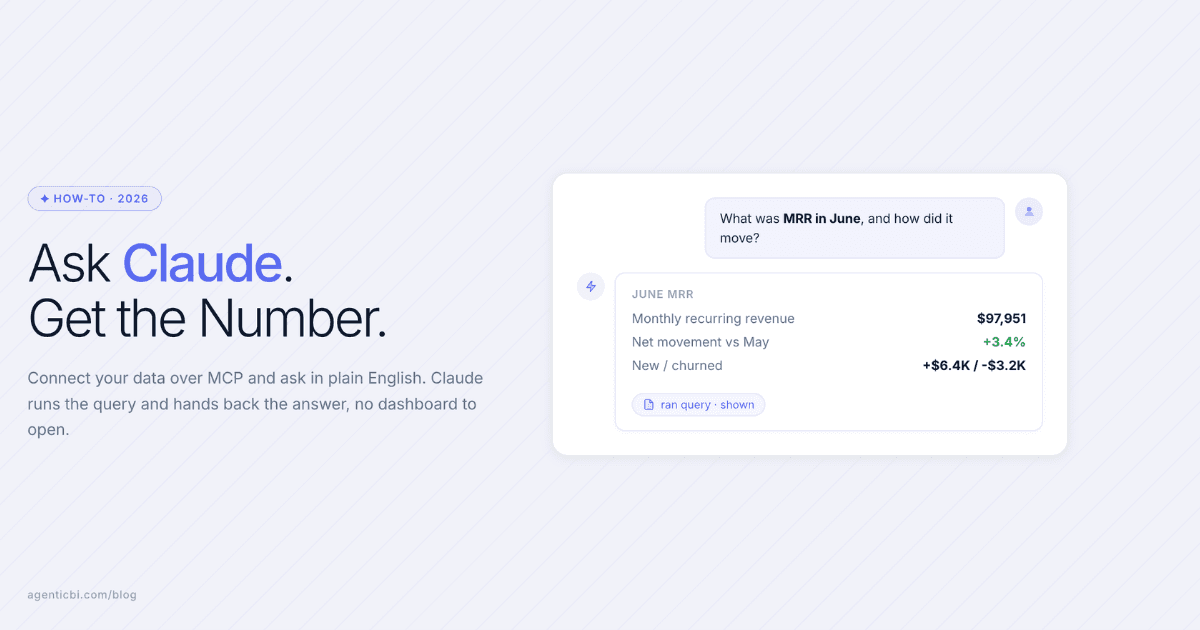
We build AgenticBI's MCP server, and we use it through Claude daily to check signups, pipeline, and content numbers. Two lessons from actual use. Single questions work brilliantly. "What was MRR in June" comes back correct and fast. Compound asks, like "compare MRR by plan, then break churn out by cohort and chart both," are better split into two questions. You get cleaner answers and you can sanity-check each one. And the thing that mattered more than any feature: setup is pasting one URL into Claude's connector settings. Everyone we've onboarded got a first answer within minutes because there was nothing to install.
Security, honestly
The consensus after a year of production use is blunt: read-only by default, and think before you connect.
Vendors say it themselves. Supabase recommends pointing MCP at development projects and using read-only mode. Microsoft's Power BI MCP documentation states, in Microsoft's own words, "MCP as a phenomenon is very novel and cutting-edge... consider doing a security review."
Prompt injection is not theoretical. In May 2025, researchers at Invariant Labs showed a GitHub MCP exploit where a malicious issue tricked an agent into leaking private repository data. And one developer who connected MCP to a production database documented what it took to do it safely: SELECT-only enforcement, table allowlists, and a rule that "every query passes through a security pipeline before it touches the database." His verdict: "It's hard to do this safely."
The practical tiering that's emerged: development databases are fine, staging should be read-only, and production should sit behind a hardened read-only layer or a BI platform that enforces permissions for you. And whatever you connect, use a server that shows you the query it ran. A number you can't audit isn't a number.
Where this is going
The protocol is stabilizing fast. The 2026-07-28 spec version is in release candidate now and publishes later this month. It brings a stateless protocol core, which makes servers cheaper to scale, and an extensions framework including MCP Apps, which lets servers render interactive interfaces like charts inside the chat. The official 2026 roadmap puts enterprise readiness front and center: audit trails, stronger auth, and gateways.
Translated for a business reader: the experimental phase is ending. The pieces that made a security team say no are the stated priorities. If your BI tool doesn't speak MCP yet, it will, and the useful question shifts from "does it have a server" to "is the server a wrapper or an agent."
Frequently asked
Do I need a developer to connect Claude to a BI tool?
Not if the vendor hosts a remote MCP server. In Claude you open Settings, then Connectors, add a custom connector, and paste the server's URL. Claude's free plan allows one connector; paid plans allow more. Local config-file servers are the older, developer-only path.
Can ChatGPT use MCP servers for analytics too?
Yes, but full MCP support sits behind Developer Mode, which OpenAI labels a beta, and write actions require confirming the raw JSON before they run. Claude's connector flow is the more finished consumer path as of mid-2026.
Is it safe to point an MCP server at a production database?
Practitioner consensus says not directly. Use read-only access, table allowlists, and scoped credentials, or connect through a BI platform that enforces permissions and logs every query. Development and staging environments are the right place to start.
How is an MCP server different from a BI tool's regular API?
An API requires custom code for every integration you want. An MCP server describes its tools in a standard format that any compatible assistant can discover and call, so one server works with Claude, ChatGPT, Cursor, and Copilot without writing new code for each.
Which BI platforms have official MCP servers in 2026?
Tableau, Power BI (public preview), Metabase, Grafana, Snowflake (GA since November 2025), Looker via Google's MCP Toolbox, ThoughtSpot, and dbt (experimental), plus agent-first platforms AgenticBI and Knowi. Google Analytics, Mixpanel, and Adobe Analytics cover the product analytics side.
Try AgenticBI
The AI data analyst for teams without a data team
Your numbers live in your database, your tools, and a dozen spreadsheet tabs, each telling a slightly different story. AgenticBI connects to all of them, runs the query, and hands back one answer. You ask in your own words. Agents do the analysis. And it can run on its own AI, so your data never leaves for a third party.
What you can do with AgenticBI:
Free to start. Your data can stay yours, nothing goes to OpenAI or any outside model.
Learn more
Discover more from the latest posts.