How to Use Claude for Analytics Over MCP (2026)
You use Claude for analytics by connecting your data tool to it as an MCP server, then asking your question in plain English. Claude calls the server, runs the query against live data, and hands back the number or chart inside the same chat. Setup for a hosted server is one URL paste, no install. The one thing that decides how far this goes: whether the server on the other end only reads dashboards you already built, or actually builds the analysis for you. We run this workflow every day on our own numbers, so the walkthrough below is what it looks like in practice, not in theory.
Quick Summary (TL;DR)
Claude does analytics through MCP, the open standard that lets it use your data tools directly. You ask in the chat; the answer comes from your live data.
Connecting a hosted server is a URL paste under Claude's connector settings. No terminal, no config file. Custom connectors need a paid plan (Pro, Max, Team, or Enterprise); Free allows one.
Claude connects from Anthropic's cloud, so the MCP server has to be publicly reachable. A laptop-only database won't work without a hosted layer.
Ask one thing at a time. Single questions ("what was MRR in June") come back clean. Compound questions are better split in two.
What Claude can do depends entirely on the server: read-only wrappers answer from existing dashboards, while build-category servers write the query and create the chart or dashboard from scratch.
Never hand Claude a direct line to your production database. Connect read-only, or use a vendor server that enforces its own permissions.
What "using Claude for analytics" actually means
There are two very different things people mean by this, and mixing them up is where the disappointment comes from.
The first is pasting data into Claude (a CSV, a screenshot of a dashboard) and asking it to interpret. That works for a one-off, but the data is frozen the moment you paste it, and you're the one fetching it.
The second is connecting Claude to your data through MCP, so it queries the live source itself. This is the one worth setting up. You ask a question, Claude calls the connected server, the server runs against current data, and the result appears in the conversation. Nothing to copy, nothing that goes stale. Every workflow below is this second kind.
Model Context Protocol is the open standard that makes it possible. Anthropic open-sourced it in November 2024 and donated it to the Linux Foundation's Agentic AI Foundation in December 2025. There are now more than 10,000 public MCP servers, and every major data and BI tool ships one. For the full picture of that landscape, see the best analytics MCP servers.
Connecting an analytics server to Claude, step by step
For a hosted (remote) server, this is genuinely a few minutes:
In Claude, open Settings, then Connectors (the feature is named "custom connectors using remote MCP").
Click Add custom connector.
Paste the remote MCP server URL your analytics tool gives you.
If the server uses OAuth, sign in when prompted (this is the "Advanced" step; most hosted BI servers handle auth here).
Click Add. The connector's tools are now available in your chats.
That's it. Custom connectors are on the paid plans (Pro, Max, Team, Enterprise); the Free plan allows a single connector. It works across claude.ai, the desktop app, and mobile.
Two things trip people up. First, Claude connects from Anthropic's cloud, not from your machine, so the server has to be reachable on the public internet. A database running only on your laptop can't be reached this way; you need a hosted server sitting in front of it. Second, local servers are the harder path. If a tool only offers a local server, you install a package and edit a JSON config file in Claude Desktop, which is a real setup task, not a paste. Prefer a hosted server if the choice exists.
The workflow, three ways we actually use it
Once a server is connected, here's what the day-to-day looks like. These are the exact patterns we run on AgenticBI's own numbers.
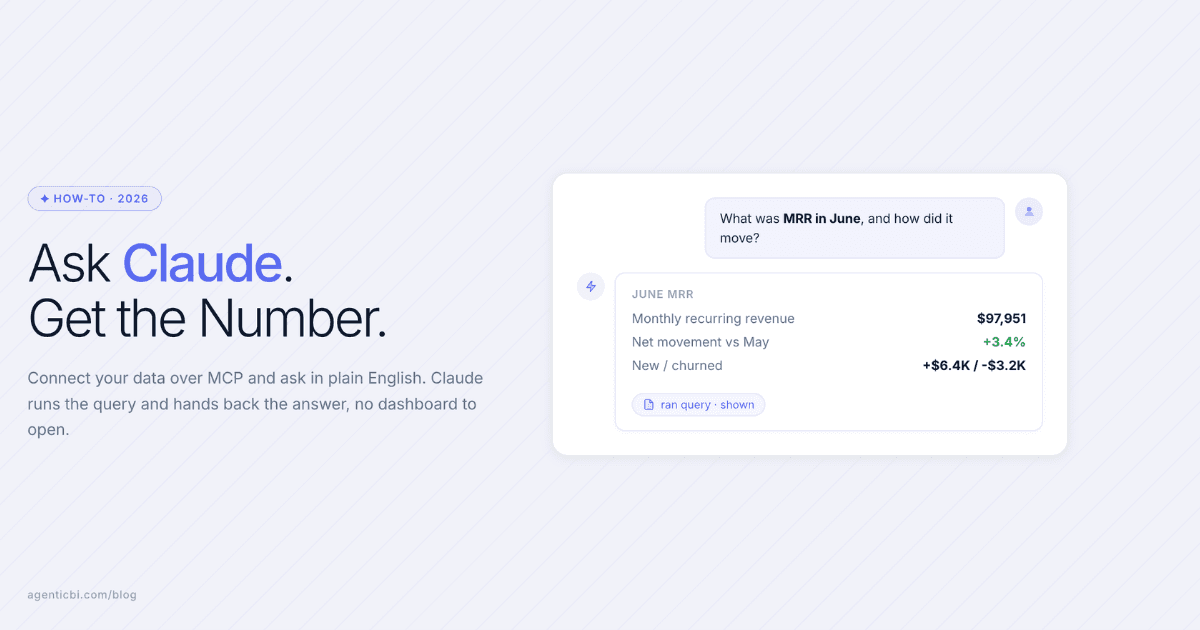
Ask the number where you already are. You're drafting something in Claude and need a figure. Instead of leaving to open a BI tool, you ask: "What was MRR in June?" Claude calls the server, runs the query, and the number lands in the same thread. The monthly investor update that used to mean an afternoon of copy-paste becomes a conversation.
Describe a chart and get it built. "Signups by channel, last 90 days, weekly." With a read-only server this fails unless that exact chart already exists somewhere. With a build-capable server, Claude picks the source, writes the query, and creates the visualization that didn't exist a second ago. You described it; now it's real.
Set it and let it run. "Pipeline by stage, every Monday at 8am, in Slack." The agent runs the query on schedule and delivers the answer to where you work. You stop opening the analytics tool at all.
In all three, the data tool still does the work. What changed is that you stopped being the one who has to go visit it.
What Claude can and can't do here (the honest version)
This is the part the demos skip, so here it is plainly.
Claude is the interface. The MCP server decides the ceiling. If you connect a wrapper server (Tableau, Metabase, most BI vendors' servers), Claude can query and read what your team already built, but it can't create new analysis from nothing. If you connect a build-category server (AgenticBI, Knowi), Claude can find your data, join across sources, write and run the query, and produce the dataset, chart, or dashboard. Same Claude, very different range, entirely because of the server.
Single questions beat compound ones. "What was MRR in June" comes back correct and fast. "Compare MRR by plan, then break churn out by cohort and chart both" is better as two separate asks. You get cleaner answers, and you can sanity-check each one before trusting it. This is the single biggest habit that separates a good experience from a frustrating one.
It shows its work, and you should look. A good analytics server returns the query it ran alongside the answer. When Claude is querying a raw database from a messy schema, it can guess a column wrong. Reading the query it shows you is how you catch that. Build-category servers that write and display the SQL make this easier than raw-database servers that hand back only a result.
Try this on your own numbers in five minutes.
AgenticBI is an MCP-native BI platform built for exactly this workflow: paste one URL into Claude, point it at your data, and ask your first question. The agents write the queries, build the charts, and show their work, so you never touch SQL. Free to start.
Security: treat the connection like a database credential
Because that is what it is. The practitioner consensus after a year of production use is blunt, and worth following:
Dev databases are fine to connect.
Staging gets read-only.
Production never gets a direct MCP connection. Reach it only through a hardened layer with query parsing and table allowlists, or through a vendor server that enforces its own permissions (the way Snowflake's server scopes everything to your existing role-based access).
The reasons are documented, not hypothetical. In May 2025, Invariant Labs demonstrated a prompt-injection attack through the GitHub MCP server that exfiltrated private repository data. A developer who wired MCP to a production database wrote up what it took to do it safely (AST parsing, SELECT-only enforcement, allowlists) and concluded it "is hard to do this safely." Even the vendors say so: Microsoft tells you to run a security review before connecting Power BI's servers, and OpenAI's own docs warn about prompt injection and data-destroying mistakes in ChatGPT's Developer Mode. Read-only is not a limitation. It is the setting you want.
Claude vs ChatGPT for this
Both can do analytics over MCP, differently. Claude supports remote MCP servers as custom connectors on paid plans, which is the paste-a-URL flow above. ChatGPT supports full MCP, including write actions, only through Developer Mode, which is still beta and asks you to confirm write operations in JSON before they run. For a non-engineer connecting a hosted analytics server, Claude's flow is currently the smoother one.
What's changing soon
The next MCP spec version is a release candidate now and finalizes later this month (July 28, 2026), adding a stateless protocol core, an extensions framework, tighter OAuth alignment, and a 12-month deprecation policy. With MCP now under a neutral foundation backed by Anthropic, OpenAI, Google, Microsoft, and AWS, the standard is settling in rather than fragmenting. The practical takeaway doesn't change: pick a server based on where your data lives and whether it reads or builds, connect it read-only first, and let the agent earn more access once you trust the queries it shows you.
Frequently asked
Which Claude plan do I need to connect an analytics MCP server?
Custom connectors using remote MCP are available on the paid plans (Pro, Max, Team, and Enterprise). The Free plan allows one connector. Team and Enterprise owners can add a connector organization-wide, after which members connect to it.
Can Claude build a chart or dashboard, or only answer questions?
That depends on the server you connect, not on Claude. Read-only wrapper servers let Claude query and read dashboards your team already built. Build-category servers let Claude write the query and create the dataset, chart, or dashboard from scratch. Same assistant, different range, decided entirely by the server on the other end.
Why does my MCP server have to be publicly reachable for Claude to use it?
Because Claude connects to remote servers from Anthropic's cloud, not from your computer. The server has to be reachable on the public internet for that connection to complete. A database running only on your laptop needs a hosted server in front of it, or you use a local server registered in Claude Desktop's config file instead.
Should I give Claude write access to my database through MCP?
Not to production, and not directly. The working pattern is tiered: development databases can have full access, staging gets read-only, and production is reached only through a hardened layer with query parsing and table allowlists, or through a vendor server that enforces its own role-based permissions. Start every new connection read-only.
Do I still need a BI tool if I use Claude with MCP?
Yes, in the sense that the MCP server is the BI layer doing the real work: the joins, the permissions, the schedules. Claude is the interface in front of it. The difference between servers is whether that layer only serves dashboards someone already built (Tableau, Metabase) or builds the analysis on demand (AgenticBI, and Knowi for on-prem needs). Claude plus a build-category server is the closest thing to not touching a BI interface at all.
Try AgenticBI
The AI data analyst for teams without a data team
Your numbers live in your database, your tools, and a dozen spreadsheet tabs, each telling a slightly different story. AgenticBI connects to all of them, runs the query, and hands back one answer. You ask in your own words. Agents do the analysis. And it can run on its own AI, so your data never leaves for a third party.
What you can do with AgenticBI:
Free to start. Your data can stay yours, nothing goes to OpenAI or any outside model.
Learn more
Discover more from the latest posts.


