Introducing the Widget AI Assistant: The First Analytics Agent Powering Agentic BI
TL;DR
Knowi has launched its first Analytics Agent, the Widget AI Assistant, bringing Agentic BI directly into every widget. Instead of clicking through menus or writing SQL, users can now ask their dashboards questions, get instant insights, receive recommendations, tweak visualizations, and export data… all through natural language.
It’s analytics that works with you, understanding what you need, helping you explore trends, and even making changes to the charts for you. This release marks the beginning of Knowi’s Agentic BI roadmap, where multiple AI agents will automate analysis, monitor KPIs, and deliver insights proactively.
To enable the Widget AI Assistant for your account, email support@knowi.com.
If you’re not yet a Knowi customer, you can request a demo or free trial to explore Agentic BI capabilities - just visit our website or reach out to support@knowi.com.
The future of analytics is agentive and it’s officially here.
As part of our push toward Agentic BI, the Knowi team has introduced our first Analytics Agent: the Widget AI Assistant, a conversational, intelligent helper built directly into every widget.
This release brings the next evolution of AI in BI tools: analytics that doesn’t just visualize your data, but understands it, explains it, and acts on it.
The future of analytics is agentive and it’s officially here.
As part of our push toward Agentic BI, the Knowi team has introduced our first Analytics Agent: the Widget AI Assistant, a conversational, intelligent helper built directly into every widget.
This release brings the next evolution of AI in BI tools: analytics that doesn’t just visualize your data, but understands it, explains it, and acts on it.
What Is the Widget AI Assistant?
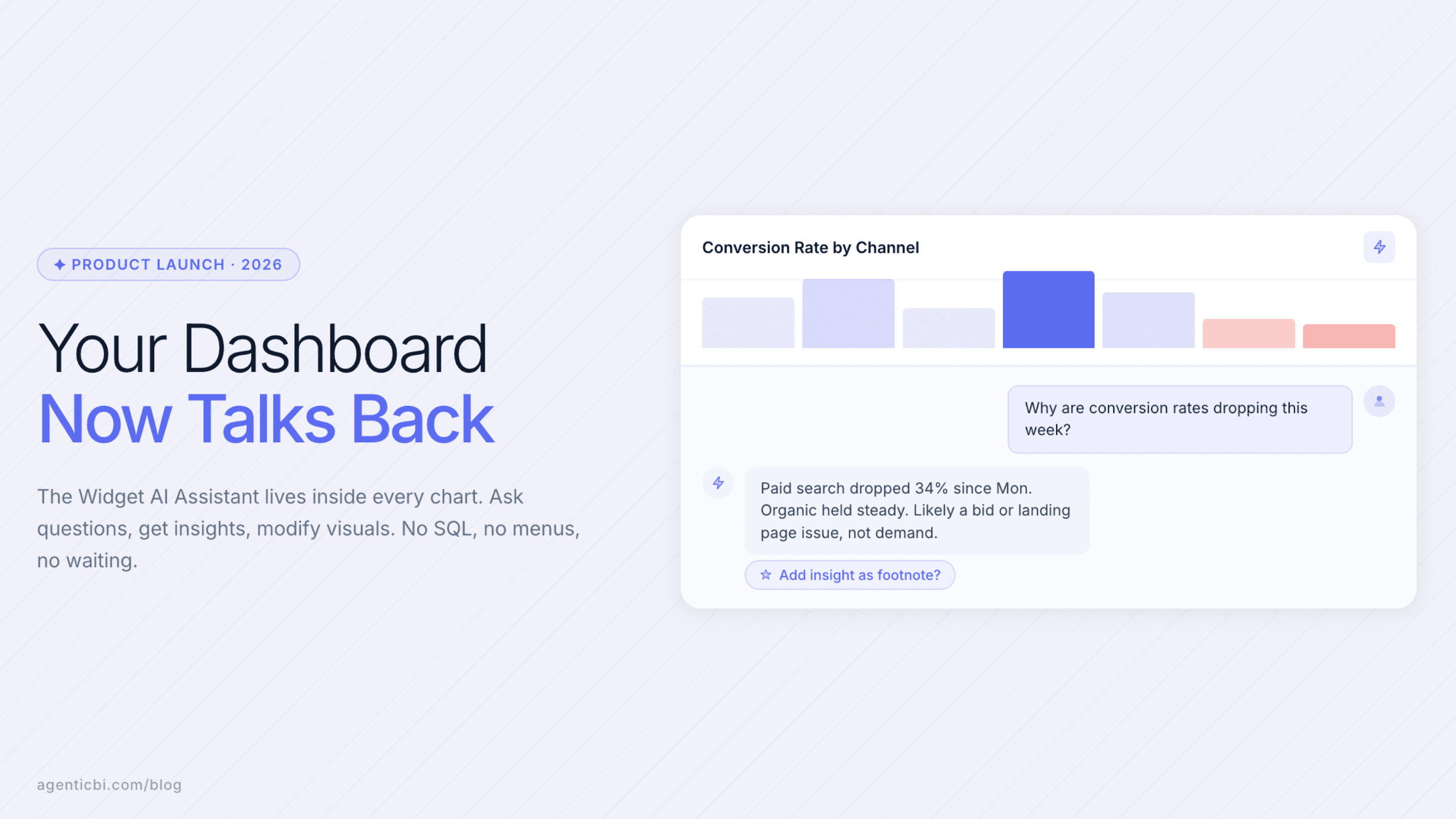
The Widget AI Assistant is a built-in Analytics Agent that lets you interact with your data using natural language. Once enabled, you’ll see a small icon in the top-right corner of each widget. Clicking it opens a chat interface that allows you to:
Ask data questions in plain English
Explore insights instantly
Receive AI-generated recommendations
Modify chart style and widget settings
Generate annotations, footnotes, and notes
Export data to CSV, Excel, or PDF
Navigate complex dashboards with zero clicks
This is Agentic BI at work: analytics that responds, adapts, and collaborates with you.
Ask Questions Using Conversational Analytics
Traditional BI requires digging through filters, menus, and settings.
With the Widget AI Assistant, you simply ask.
For example:
“How can I improve my conversion rates?”
The Analytics Agent will:
Interpret your intent
Analyze the widget’s underlying dataset
Narrate the steps it’s taking
Deliver insights and actionable recommendations
No SQL. No configuration. No bottlenecks.
Just instant decision intelligence, powered by your data.
This level of conversational analytics bridges the gap between data consumers and analysts, making insights accessible to anyone on your team.
Make Instant Visual Changes With AI
Beyond insights, the Widget AI Assistant can directly modify your visualizations.
Say you want an annotation added:
“Add a footnote that says: This shows the total sent by customer.”
The agent will:
Understand your instruction
Open the widget settings
Apply the footnote
Preview the update right inside the chart
This is part of a broader shift toward AI-powered dashboards, where charts evolve dynamically based on what users need, not what they click.
Note: Visualization changes must be manually saved to persist, ensuring full user control.
Why This Matters: The Shift Toward Agentic BI
Analytics is moving beyond dashboards.
The next generation of BI is agent-driven, where multiple AI agents automate tasks, explain trends, monitor KPIs, and optimize insights in real time.
This release is the first major step in that direction.
With Analytics Agents inside Knowi, teams can:
Eliminate repetitive dashboard tasks
Get proactive recommendations, not just static charts
Speed up analysis for non-technical users
Reduce dependency on SQL and manual configuration
Make faster, more confident decisions
Instead of users adapting to dashboards, dashboards now adapt to users.
Perfect for Modern, AI-Driven Data Teams
The Widget AI Assistant reflects how businesses want analytics to work:
Conversational instead of complex
Agentive instead of manual
Insight-driven instead of report-driven
Adaptive rather than static
It fits seamlessly into workflows across product, operations, marketing, customer success, engineering, and executive teams.
If your organization is exploring AI in BI tools, LLM-powered analytics, or enterprise-ready analytics automation, this is the simplest way to start.
Enable the Widget AI Assistant for Your Team
If you’re already using Knowi, email support@knowi.com and we’ll enable it for your workspace.
If you’re not yet a Knowi customer, you can request a demo or free trial to explore Agentic BI capabilities - just visit our website or reach out to support@knowi.com.
We’d love to hear your feedback as we continue building deeper Agentic BI capabilities, including multi-agent orchestration, proactive alerts, autonomous KPI monitoring, and workflow-driven Analytics Agents.
Frequently Asked Questions
1. What exactly is the Widget AI Assistant?
It’s a built-in Analytics Agent that lives inside every widget in Knowi. You can ask it questions, modify visuals, get recommendations, and navigate complex dashboards without manual steps or SQL.
2. How is this different from “AI inside BI tools”?
Most BI tools have a chatbot bolted on top.
This is different.
The Widget AI Assistant can take action, change chart settings, add annotations, explain trends, and export data. It’s the first step in building a full agent ecosystem, not a standalone chat window.
3. Do I need technical skills to use it?
No. If you can speak or type a question, you can use it.
The assistant interprets your intent and handles the technical steps behind the scenes.
4. Will it replace dashboards?
No, it makes dashboards smarter.
Instead of navigating filters and menus, you can simply ask for what you want. Dashboards become conversational, adaptive, and easier for non-technical teams.
5. What kinds of things can it do?
Answer questions about the data
Analyze trends and patterns
Suggest improvements or actions
Modify chart appearance and settings
Add notes, footnotes, and context
Export data to CSV, Excel, or PDF
Guide you through widget configuration
6. Does it automatically save the changes it makes?
Not yet.
You’ll still need to manually hit Save to confirm the update. This gives you full control over modifications.
7. Is this secure? Will my data leave my environment?
Yes, it’s secure.
Like the rest of Knowi’s architecture, the Widget AI Assistant is designed to keep your data within your environment, aligned with Knowi’s privacy and governance standards.
8. Why does this matter for BI teams?
Because BI workflows have been stuck in “click, filter, repeat” mode for a decade.
Agentic BI changes that, agents do the repetitive work, highlight insights, and make dashboards adaptive. It unlocks faster decision-making and more autonomy for business teams.
9. How do I turn it on?
If you’re already using Knowi, email support@knowi.com and we’ll enable it for your workspace.
If you’re not yet a Knowi customer, you can request a demo or free trial to explore Agentic BI capabilities - just visit our website or reach out to support@knowi.com.
10. What’s coming next?
Knowi is building:
Multi-agent orchestration
Automated KPI monitoring
Proactive alerting
Workflow-driven insights
Role-specific analytics agents
This is only the beginning of the Agentic BI ecosystem.
Try AgenticBI
The AI data analyst for teams without a data team
Your numbers live in your database, your tools, and a dozen spreadsheet tabs, each telling a slightly different story. AgenticBI connects to all of them, runs the query, and hands back one answer. You ask in your own words. Agents do the analysis. And it can run on its own AI, so your data never leaves for a third party.
What you can do with AgenticBI:
Free to start. Your data can stay yours, nothing goes to OpenAI or any outside model.
Learn more
Discover more from the latest posts.


