How to Analyze Your Salesforce Data Without a Data Team (2026)
Most sales leaders know the answer is somewhere in Salesforce. Getting it out is the problem. You either know how to build reports, or you wait for someone who does. AgenticBI is the third option: connect it to your CRM, ask your question, get your answer. No report builder. No analyst in the loop.
Quick Summary (TL;DR)
Ask AgenticBI about your pipeline, deals, or rep performance and you get the answer. No SQL, no report builder.
You can ask specific questions: "Why did pipeline drop last month?" or "Which deals have been stuck in Stage 3 for more than 30 days?"
Agents run on a schedule, so your Monday KPI digest arrives before you think to ask for it.
Setup takes under 30 minutes. You connect Salesforce, and the agent figures out the rest.
No data team required. No BI license. No three-day turnaround on one number.
The Actual Problem With Salesforce Reporting
Salesforce has a report builder. It works, if you already know which fields to pull, how to filter them, and how to group the output. Most founders and sales leaders don't want to learn that. They want the answer to a specific question, not a tool for building reports about it.
The workaround is usually a data analyst. You write up what you need, they pull the data, you get a CSV two days later. By then the question has changed. Or you build a dashboard that answers the question you had three months ago, which is never quite the question you have today.
The number you needed yesterday is sitting in Salesforce right now. You just have no good way to ask for it.
How AgenticBI Connects to Salesforce
AgenticBI connects to Salesforce through a native integration. You authenticate once. The agent reads your schema, discovers your objects, and starts working. Your data stays in Salesforce.
Once connected, you type your question. The data agent works out what to pull and how to show it. You get the answer as a chart, a table, or a number. You didn't build a report. You just asked.
What You Can Actually Ask
The questions that matter most are usually the hardest to pull from a Salesforce report. A few that come up often:
"What's our win rate against competitors this quarter?"
"Which deals have been stuck in Stage 3 for more than 30 days?"
"Show me average deal size by industry for the last 6 months."
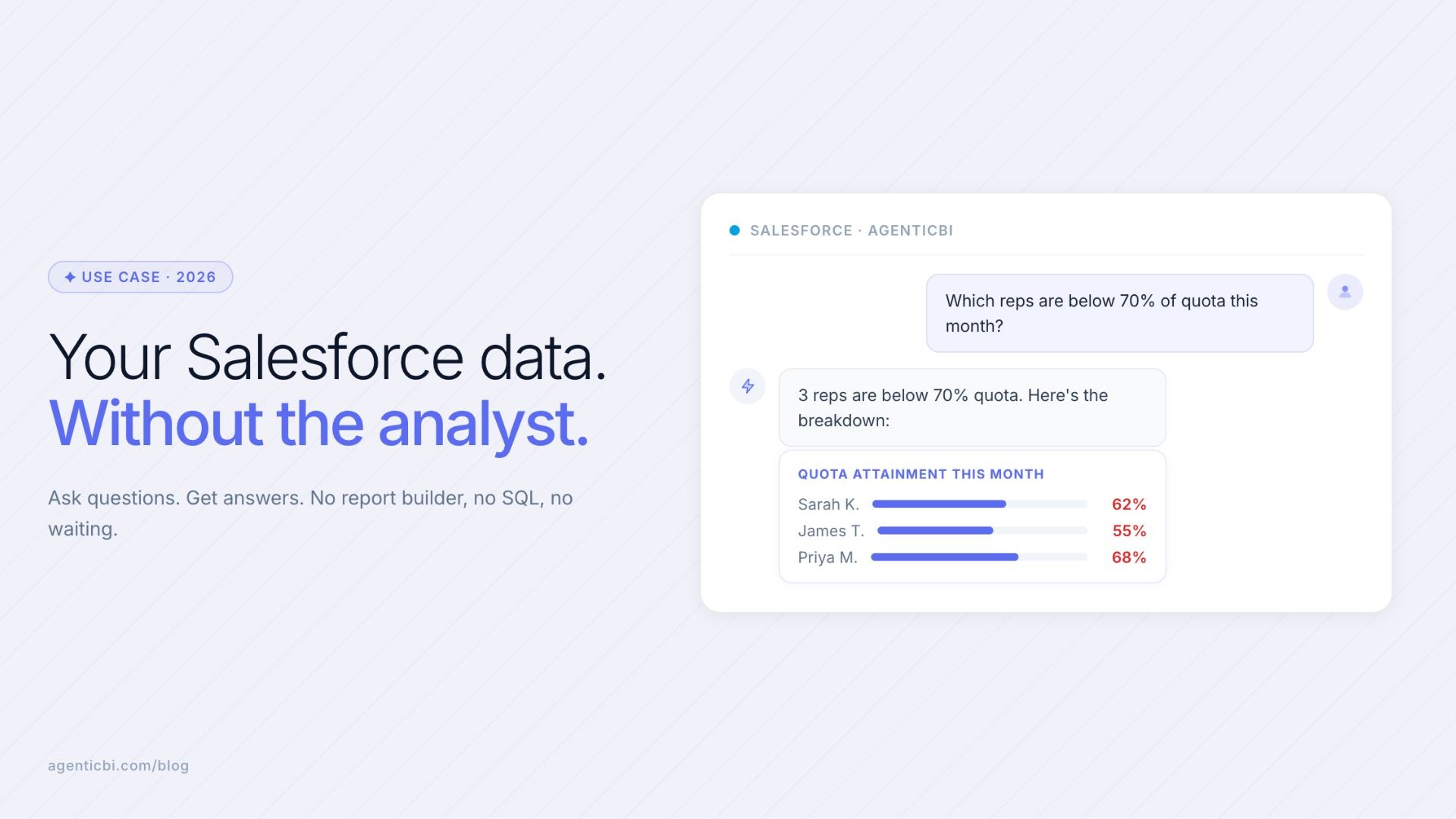
"Which reps are below 70% of quota right now?"
"Why did pipeline drop in March? Break it down by stage."
"What's our average time to close for deals over $20K?"
"Show me all open opportunities with no activity in the last 2 weeks."
Each of these would take a Salesforce admin or analyst to pull manually. The agent handles it in seconds. And once you've asked a question, you can turn it into a scheduled report. Next Monday morning, the answer is already waiting for you.
Scheduled Reports Without Anyone Running Them
The part most people set up last is the one that saves the most time. You tell the agent what you want to see every Monday morning: pipeline by stage, deals that moved last week, reps below quota. It runs, builds the output, and drops it in Slack before your first meeting. You didn't ask. It just showed up.
That's the difference between a BI tool and agentic BI. A BI tool shows you a dashboard someone built weeks ago. An agent runs the analysis fresh and delivers what's actually relevant right now. It doesn't go stale. It just keeps answering.
AgenticBI vs Salesforce Reports vs Traditional BI
Capability | Salesforce Reports | Traditional BI (Tableau, Power BI) | AgenticBI |
|---|---|---|---|
Ask a one-off question | Requires building a report each time | Requires SQL or drag-and-drop setup | Type the question, get the answer |
Scheduled delivery | Supported but static: same report every time | Dashboard refreshes, but someone must build it first | Agent runs fresh analysis and delivers on schedule |
Cross-source analysis | Salesforce data only | Requires data warehouse or ETL pipeline | Connects Salesforce alongside Stripe, Mongo, REST APIs |
Setup time | Built in, but with a reporting learning curve | Weeks to implement, requires dedicated admin | Under 30 minutes to first answer |
Data team required | For complex queries, yes | Yes: analyst or BI developer required | No |
Pricing | Included in Salesforce license | $70/user/month and up | Starts free |
Connect Salesforce to AgenticBI in under 30 minutes. Start free at AgenticBI.com. No data team required.
Frequently Asked Questions
Can AgenticBI connect to Salesforce directly?
Yes. You authenticate once, the agent reads your schema, and you start asking questions. Your data stays in Salesforce.
Do I need SQL to analyze Salesforce data with AgenticBI?
No. You type what you want to know and the agent handles the rest. Something like "show me deals stuck in Stage 3 for over 30 days" returns a result. You never touch SQL or Salesforce's report builder.
What Salesforce objects can I query with AgenticBI?
You can query standard Salesforce objects including Opportunities, Accounts, Leads, Contacts, and Activities. Custom objects are also supported. The agent discovers these automatically when you connect.
How long does it take to connect Salesforce to AgenticBI?
Under 30 minutes. You authenticate with your Salesforce credentials, the agent reads your schema, and you can start asking questions. No engineering work required.
Can I get automated Salesforce reports delivered to Slack?
Yes. Set a schedule, tell the agent what you want, and it delivers to Slack, email, or a dashboard. The analysis runs fresh each time. No static report to maintain.
Does AgenticBI work if I also use Stripe or Mongo alongside Salesforce?
Yes. AgenticBI connects to multiple data sources simultaneously. You can ask cross-source questions: for example, correlating Salesforce pipeline data with Stripe revenue to see which deal types convert to the highest LTV customers. All from one place, no warehouse needed.
Who is AgenticBI for?
AgenticBI is built for founders, sales leaders, and operators at companies with 1 to 200 people who need data answers without a dedicated data team. If you have Salesforce data and no one to pull it for you reliably, AgenticBI is built for that gap.
Related reading
Dashboard Without SQL: Three Ways to Build Visualizations from Your Data
Analytics for Small Teams: Getting Data Answers Without a Data Analyst
Analytics Without a Data Warehouse: How to Query Across Sources Directly
Try AgenticBI
The AI data analyst for teams without a data team
Your numbers live in your database, your tools, and a dozen spreadsheet tabs, each telling a slightly different story. AgenticBI connects to all of them, runs the query, and hands back one answer. You ask in your own words. Agents do the analysis. And it can run on its own AI, so your data never leaves for a third party.
What you can do with AgenticBI:
Free to start. Your data can stay yours, nothing goes to OpenAI or any outside model.
Learn more
Discover more from the latest posts.


