Your AI analytics pilot worked perfectly. Then you scaled it. Here's what broke.
The pilot goes great. Ten users, fast answers, everyone's excited.
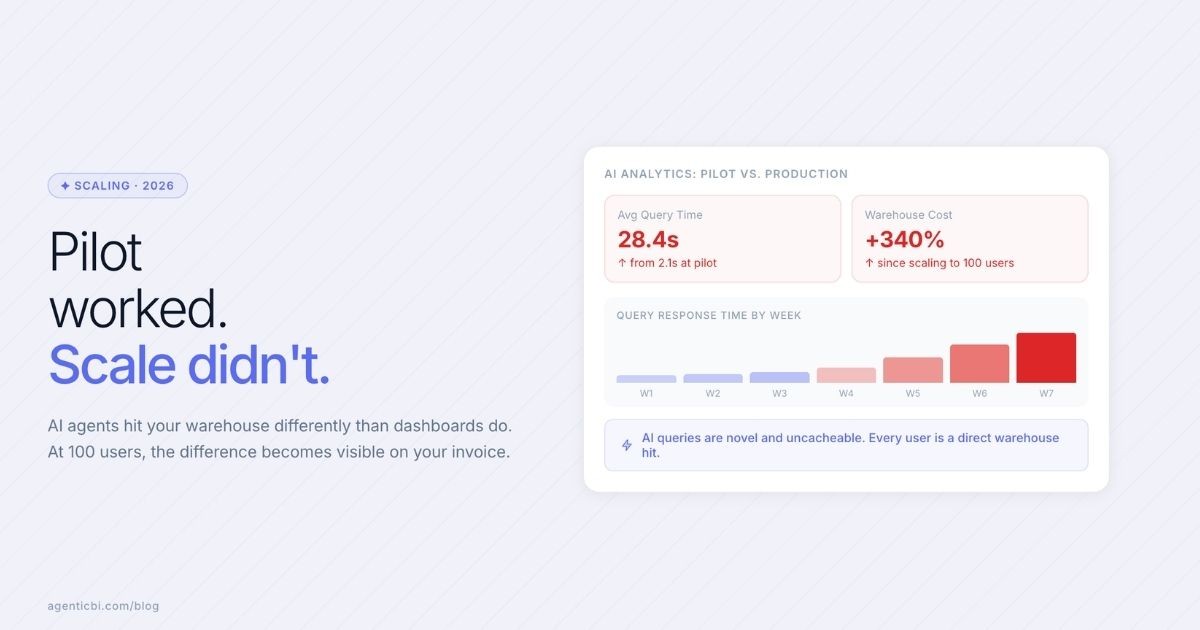
You scale to 100 users. Query times go from two seconds to thirty. Costs jump. Some queries time out. The agentic workflows that ran fine on test data start failing on your real data.
The model didn't change. What changed?
Your Warehouse Wasn't Built for This
Traditional BI tools are predictable. A dashboard loads and runs a fixed set of queries. Same queries, same shape, on a schedule your warehouse can plan around.
AI agents are not predictable.
A traditional dashboard loads the same fixed queries every time, on a schedule your warehouse can plan around. Results get cached. Peak load is predictable.
AI agents work the opposite way.
Every question generates a unique query. Similar questions phrased differently still produce different SQL. One user asks for churn by segment. Another asks for week-over-week anomalies. A third asks the same question with different filters, joins, or time windows.
Warehouses were designed for the first pattern. AI agents create the second. At small scale, you don't notice. At scale, it's the reason AI analytics projects stall after a promising start.
The Instinct That Doesn't Work
Bigger warehouse. More compute credits. Larger cluster.
This delays the problem. It doesn't solve it.
The root cause is that AI-generated queries can't be cached the way traditional dashboard queries are. Pre-built caches exist for known queries. AI generates novel ones. Every novel query hits your warehouse directly.
Without a smarter architecture, your costs scale linearly with every new user and every automated workflow you add. That's not a sustainable foundation.
Ungoverned AI queries also create a second problem: wrong answers from inconsistent data.
What Does Work
The answer is to intercept queries before they reach the warehouse. A layer that sits between your AI and your data can do three things:
Recognize cached answers. When a question has a close-enough cached result, serve it. Don't hit the warehouse again.
Pre-aggregate common question categories. Identify which metrics your team asks about most often. Pre-compute and store those results.
Route by urgency. Scheduled batch jobs run separately from interactive questions. A background report doesn't slow down something someone needs answered right now.
For small teams, this doesn't have to be complex infrastructure. The key is choosing an AI analytics tool that handles this routing for you.
AgenticBI routes queries based on how often your data changes and how quickly you need the answer. Frequently queried, slow-changing data gets cached. Real-time data hits the source. Scheduled workflows run separately from interactive questions. You don't manage any of it manually.
No warehouse configuration required. AgenticBI routes the query. You get the answer. Try it free on your actual data.
Want context on why this matters now? See how AI analytics has evolved.
Go deeper
For a detailed breakdown of the warehouse runtime problem in AI analytics, including concurrency limits, pre-aggregation patterns, workload isolation, and observability requirements at enterprise scale, read the full post on Knowi.
Read: The Hidden Scaling Problem in Enterprise AI Analytics →
Related reading:
Try AgenticBI
The AI data analyst for teams without a data team
Your numbers live in your database, your tools, and a dozen spreadsheet tabs, each telling a slightly different story. AgenticBI connects to all of them, runs the query, and hands back one answer. You ask in your own words. Agents do the analysis. And it can run on its own AI, so your data never leaves for a third party.
What you can do with AgenticBI:
Free to start. Your data can stay yours, nothing goes to OpenAI or any outside model.
Learn more
Discover more from the latest posts.


